Alanchand Chrome Extension
Knowing the prices of USD, EUR, and gold is crucial for anyone living or doing business in Iran. Since these prices change multiple times a day, having a fast and convenient way to access them is essential.
Chrome extensions are tools added to the Google Chrome browser to make browsing more efficient. For example, you can add the Google Translate extension and translate any page you’re viewing with a single click.
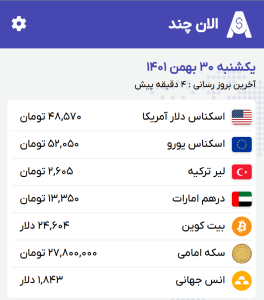
To simplify price tracking, we’ve developed a Chrome extension that integrates with your browser. No matter what website you're on, you can easily click the extension icon to view real-time prices of USD, EUR, gold, or any other assets listed on the Alanchand website.
How to install the Alanchand Chrome Extension
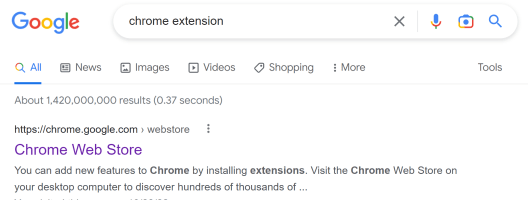
Download Alanchand Chrome ExtensionTo get started, search for “chrome extension” in Google and click on the first result.
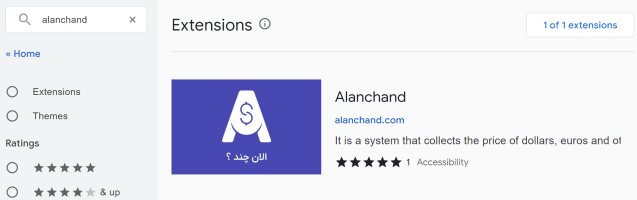
Then, in the extension search box, type “alanchand” and select the result shown.
On the next page, click “Add to Chrome” and then select “Add extension” in the popup. The extension will now be fully installed in your browser.
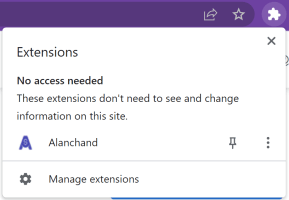
To make it easier to use, you can pin the extension to your toolbar.
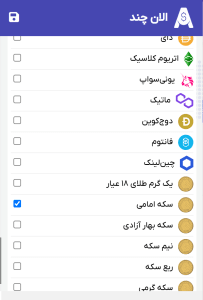
On first use, click the "Login" button so the extension can recognize you. In future uses, it will only show your selected currencies. Click the gear icon, choose the currencies or assets you want to track, and finally click the save icon.
Congratulations! From now on, you can access live currency prices anytime with just one click.